
Review: Ubuntu Linux 11.10 on Thinkpad X1
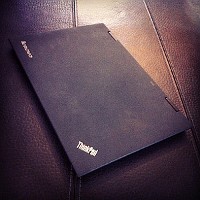
I got myself a new toy - a Thinkpad X1. I wasn't really sure whether I should get the X1 or a Macbook Air.
The main reason I decided to get the Thinkpad is because I prefer Linux for coding and I actually prefer the style
of the hardware. It looks like a hackers tool and not like a shiny fashion accessory, but that's of course just my taste.
It's also a lot more powerful in terms of CPU and connectivity (RJ45 jack, HDMI out, USB3, built in 3G modem).
The downside is the display, the IPS displays Apple uses are just SO much better. But hey, I'm a developer not a designer.
This post describes the tweaks I did to make this notebook even better. They are also a documentation for myself. It targets advanced users.
TL;DR
Everything works out of the box, but a few tweaks make it way more awesome.
Thinkfan
The default fan settings are very aggressive and result in a lot of noise. I use thinkfan for manual fan control. This reduces the noise significantly.
#/etc/thinkfan.conf sensor /sys/devices/platform/coretemp.0/temp1_input sensor /sys/devices/platform/coretemp.0/temp2_input sensor /sys/devices/platform/coretemp.0/temp3_input sensor /sys/devices/virtual/hwmon/hwmon0/temp1_input (0, 0, 60) (1, 60, 70) #(2, 76, 61) #(3, 52, 63) #(4, 56, 65) #(5, 59, 66) (7, 70, 32767)
Note that those are pretty extreme settings, use with caution and don't blame me.
Reducing power consumption
In order to improve battery life and to keep the device cool I tweaked some settings and disabled all unused devices in the bios. The changes save almost 10 watt!
#/etc/default/grub GRUB_CMDLINE_LINUX_DEFAULT="quiet splash i915.i915_enable_rc6=1" # run update-grub after change
#/etc/rc.local echo 1500 > /proc/sys/vm/dirty_writeback_centisecs for i in /sys/bus/usb/devices/*/power/autosuspend; do echo 1 > $i; done echo min_power > /sys/class/scsi_host/host0/link_power_management_policy echo min_power > /sys/class/scsi_host/host1/link_power_management_policy
Also you should consider using flashblock for firefox/chrome. Flash will drain your battery. If you don't believe it just look at the cpu wakeups it creates using powertop.
SSD TRIMing
I use an Intel SSD in the Notebook. The installation was a bit fiddly but the performance is just incredible. The thing boots in seconds. In order to get TRIM support I added discard to the partition options in /etc/fstab.
#/etc/fstab UUID=b38561bd-9ca9-44a6-848d-ec90f31e1955 / ext4 discard,errors=remount-ro 0 1
Wireless
802.11N seemed to create problems with my WLAN so I disabled it.
#/etc/modprobe.d/_wlan.conf options iwlagn 11n_disable=1
HDAPS
HDAPS offers you access to the accelerometer and advanced battery functions. It's simple to install:
sudo apt-get install tp-smapi-dkms sudo modprobe -a tp_smapi hdaps # get battery details grep -r . /sys/devices/platform/smapi/BAT0/ # load on boot echo "tp_smapi" >> /etc/modules echo "hdaps" >> /etc/modules
Conclusion
With all those tweaks done the Thinkpad X1 becomes a durable, light, quiet and fast notebook with a lousy screen.
Jonas Wagner
What a timely post, thanks :)
I'm expecting my Lenovo x220 in 2 days, it's light, fast, works 12h on battery AND has IPS display. I'm putting Ubuntu, too and will use your tweaks. Who needs a MacBook? :)
Comment by Atanas Minev — 10/15/11 9:14 AM | # - re
Brilliant. I got an X1 a month or two ago and was a little nonplussed with the battery performance under Linux. Between your power consumption changes and disabling bluetooth (echo 0 > /sys/devices/platform/thinkpad_acpi/bluetooth_enable) I've doubled the battery life! Thanks!
Comment by Tom — 10/17/11 10:12 AM | # - re
Had any luck reconfiguring the trackpad to be less painful?
Comment by Dirk — 10/20/11 4:09 PM | # - re
Not sure what you mean.
Comment by Jonas Wagner — 10/21/11 12:21 AM | # - re
When you are in a terminal - is there a way to select text on the trackpad without applying pressure to your index finger for the whole select?
Comment by Dirk — 10/22/11 11:28 PM | # - re
Double tap and then drag?
Comment by Jonas Wagner — 10/23/11 10:51 PM | # - re
Jonas, this post is awesome. Thanks for sharing your customization. I'll be using most of them ;)
Comment by Yasmina — 10/31/11 6:37 PM | # - re
Hi, I'm asking now if you noticed some fan noise in the form of a high pitched sound, not only the wind part, but also a high pitched sound.
Also this machine heats very quickly, of course with that pretty extreme settings on the fan configuration you recommended.
Comment by Xabi — 11/6/11 11:16 PM | # - re
With normal usage the temperature stays at a constant ~45 degrees celsius. But yep, when the fan is running at higher speeds it makes a high pitched noise because it's running very fast (lots of rpm).
Comment by Jonas Wagner — 11/7/11 3:19 PM | # - re
Hello! Nice article.
Do you have keyboard backlight working?
My not :(
Comment by Taz — 11/13/11 3:57 AM | # - re
Jup, works perfectly. :)
Comment by Jonas Wagner — 11/14/11 3:24 PM | # - re
can you please provide ubuntu version, bit, kernel version and maybe kernel module name if you know it?
Comment by Taz — 11/30/11 6:23 PM | # - re
I'm on 11.10 but I didn't do anything to get that to work really. I just control it using the keyboard.
Comment by Jonas Wagner — 12/1/11 9:15 AM | # - re
Thx for the article :)
Tempting to get one. Would like to do WebGL dev on it. Did you try using WebGL on your X1? If you have, does it perform ok on Linux?
Comment by Sandb — 11/22/11 1:56 AM | # - re
Better than I expected. I thought that internal graphics are completely useless. but they kind of work. But it's surely not ideal and can't do heavy stuff.
Comment by Jonas Wagner — 11/24/11 11:49 AM | # - re
What type of battery life are you getting now, time wise? Around the 4-5 hours they claim?
Also, what do you mean by "Lousy screen?"
Comment by dean — 2/12/12 11:44 AM | # - re
Thanks Jonas, excellent post.
What is a battery life that you get after these tweaks? I have just 3 hours of quite light usage with wife on and screen dimmed to 40% (some websurfing, flash is blocked, some web coding). This is quite disappointing. Do you have any better results?
Comment by Alex — 3/3/12 12:19 PM | # - re
Hi, you're post is great, I installed thinkfan but I can't find any /sys/devices/platform/coretemp.0/tempX_input Should I put them in thinkfan configuration anyway?
Comment by Giovanni Cappellotto — 2/18/12 3:26 PM | # - re
I can reply to myself after a bit of documentation: to access coretemp values you should add coretemp kernel module. To install it you should follow first three steps of this guide: putokaz.wordpress.com/2011/11/02/fixing-cpu-fan-on-lenovo-thinkpad-t520/
Comment by Giovanni Cappellotto — 2/18/12 3:35 PM | # - re
Ei mate! Very nice post!
Somthing you missed in SSD TRIMing is the "noatime" parameter when mount the device. It is very important to have "noatime" when using SSD since the number of writes per block are limited. If you don't put this parameter when mounting the HDD, every time you read some file, the SO automatically updates de atime (access time) of this file. This means that every time you are reading something, you must do a write.
Putting this parameter you'll reduce the number of writes and your SDD will have longer life ;)
Comment by inedit00 — 2/19/12 10:13 PM | # - re
Hey, sounds great but do you know if I can make these changes to my Dell Vostro too? I started to study software engineering and get in contact with the big world of Linux but now I have the problems mentioned above. Maybe you can help a newby. Thanks a lot.
Comment by Sven — 3/24/12 1:46 AM | # - re
I was wondering about the 3g modem, how does it work in linux? did you do anything to make it work? I appreciate it if you share your experience.
Comment by eli — 4/2/12 5:07 PM | # - re